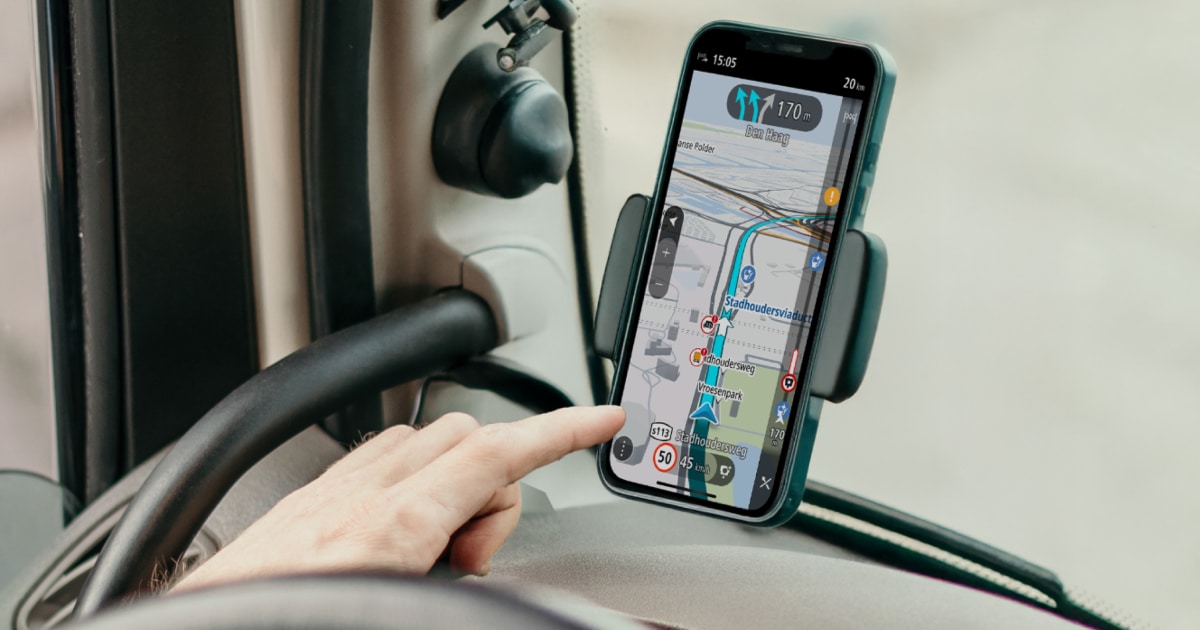
I'm thinking of upgrading my CoPilot app to Truck / Motorhome

Pudsey Bear

Full Member
Posts
21,654
Likes
35,175
I looked into upgrading my CoPilot to the truck/motorhome version, and wanted your views if you had done it, not so much the cost, but if it did a good job of keeping you on a good route, avoiding low bridges, etc, Liz normally does the look out for signs, but she's getting old and may need replacing soon.

Google gave the following info:-


Where to Find Settings
  1. Open the Main Menu (the three-line icon) and tap the Settings gear.
  2. Select Vehicle Routing Profiles.
  3. Choose your vehicle type (e.g., RV/Caravan or Truck). If you don't see your specific type, tap View/Edit or Create Custom Profile.
  4. Navigate to Vehicle Dimensions.

Dimensions You Can Set
  • Height: The tallest part of your vehicle.
  • Width: The widest part, typically including mirrors.
  • Total Length: The longest "straight length" (if towing, enter the longer of the two vehicles).
  • Total Weight: The gross vehicle weight rating (GVWR).
  • Axle Weight/Hazmat: Available in Truck or Heavy Duty profiles for specialised routing.

The CoPilot Truck version typically requires a subscription, costing approximately £84.99 to £90 per year in the UK. You can also test the features with a 14-day free trial available on the Play Store.

Routing Accuracy
CoPilot uses the industry-standard PC*MILER routing engine, specifically designed to calculate safe, truck-legal paths based on vehicle height, weight, and length.
  • Pros:
    • Low Bridge Avoidance: Highly effective at avoiding restricted roads and height hazards that standard car GPS apps ignore.
    • Offline Reliability: Maps are stored directly on your device, meaning routing remains functional even in areas with no mobile signal.
    • Professional Trust: It is widely used by commercial fleets for accurate mileage and professional-grade turn-by-turn directions.
  • Cons:
    • Occasional Errors: Like any sat-nav, it is not 100% infallible. Some users have reported issues with routing through narrow "country lanes" or zig-zagging to save minimal time.
    • Mapping Lag: If a local authority hasn't officially updated road restrictions, the app may not know about them yet.
    • Technical Glitches: Some users of recent versions (v11) have noted bugs in the interface and inconsistent route planning.
Pro Tip: Many drivers recommend exaggerating your vehicle dimensions slightly (e.g., adding an extra 10cm to height/width) in the settings to ensure a safer margin of error.
Are you driving a heavy goods vehicle (HGV) or a large motorhome, as that might change which specific profile settings you need?

Are you driving a heavy goods vehicle (HGV) or a large motorhom. WHY?


I asked because CoPilot treats these vehicles differently in its routing logic. Selecting the wrong one can lead to frustrating or even illegal route suggestions.
The app uses distinct Vehicle Routing Profiles for each:
  • Truck (HGV) Profile:
    • Focus: Prioritises interstates and major highways while strictly avoiding local or residential streets unless necessary for the final destination.
    • Restrictions: Accounts for commercial legalities like hazmat restrictions and specific HGV speed limits.
    • Manoeuvres: Heavily restricts sharp turns and U-turns that a trailer or large lorry cannot manage.
  • RV / Caravan (Motorhome) Profile:
    • Focus: Designed for leisure travel, allowing for more secondary and local roads than a commercial truck profile would.
    • Safety: Still avoids low bridges and narrow roads based on your dimensions, but won't force you onto motorways if a scenic "A" road is safe.
    • Weight Sensitivity: If you set your weight over 3.5 tonnes (Private HGV class), the app might avoid certain weight-restricted routes, which can sometimes result in longer detours even if "access" is allowed.

Key Differences at a Glance

Feature Truck ProfileRV / Caravan Profile
Primary GoalEfficient commercial deliverySafe leisure travel
Road PreferenceHeavily favours motorwaysBalanced (A/B roads allowed)
Legal LogicHazmat & commercial regsStandard/Private vehicle regs
ManoeuvrabilityMax turning circles requiredModerate turning circles
Tip: If you are driving a large motorhome over 3.5t, many users recommend using the RV/Caravan profile but customising the dimensions to ensure you don't get the overly complex commercial "truck" alerts.

What is the approximate weight of your vehicle? (This helps determine if you'll face specific weight-limit detours in the app).
 
I have a Tom Tom truck, I found that when I put the motorhome dimensions into it, it avoids places that I didn’t want to avoid, and also goes some obscure route so now I leave it set to car, and just keep my eyes open,
I even bought the tomtom motorhome version, but encountered the same problem.
So now just leave set to car
 
I have TomTom car, and rarely use it tbh, before smart phones TomTom was brilliant, it just worked, I also had Garmin, but it was crap by comparison and couldn't be relied upon, and although I have most if not all the nav apps on my phone, Google is still my go to, but I can't abide Waze at all.
 
I have TomTom car, and rarely use it tbh, before smart phones TomTom was brilliant, it just worked, I also had Garmin, but it was crap by comparison and couldn't be relied upon, and although I have most if not all the nav apps on my phone, Google is still my go to, but I can't abide Waze at all.
TomTom Go app does a truck version for £60

However, if you just use the car version and use Tomtom my drive to plan the route you can choose to plan the caravan/motorhome route, if you have signed in with the same email address and password as you did on the app it will export the route to it, when you open the app it will say 'you have a new route'.
Custom POI's can now be used on the app as well, this wasn't available earlier
 
Not sure I want to go with TomTom Terry, I do keep trying the apps I have and do regular updates to keep them current but I much prefer CoPilot as an app. Other than Google, I prefer them as I feel they are better to work with over and above their abilities to navigate, more user-friendly

I also just asked this of Google AI.

Where do the various navigation apps get their information from & why are the displayed speed limits so often wrong?

Navigation apps rely on a blend of static databases and dynamic observation to determine speed limits, but inaccuracies frequently occur due to update lags and physical signal interference.

Where Information Comes From
  • Official Government Databases: Local and national governments provide "authoritative" data on default speed limits for various road types (e.g., residential areas).
  • Imagery & AI Analysis: Services like Google use Street View vehicles to capture 360-degree imagery. AI algorithms then "read" speed limit signs and map them to specific coordinates.
  • Crowdsourcing: Waze and OpenStreetMap rely on a community of "boots on the ground" editors who manually update limits based on real-world changes.
  • Third-Party Providers: Apps often license data from specialized companies like HERE Technologies or TomTom, which aggregate various data streams.
  • On-Vehicle Systems: Modern cars may use internal cameras with Traffic Sign Recognition (TSR) to read signs in real-time, displaying them on the dashboard alongside GPS data.

Why Displayed Limits Are Often Wrong
  • Update Lag: Real-world speed changes happen faster than databases are updated. Street View cars may not revisit a road for over a year after a limit change.
  • Temporary Changes: Static databases often fail to reflect temporary roadworks, school zones, or variable limits adjusted for weather or fog.
  • GPS Positioning Errors: In areas where roads are parallel (e.g., a high-speed motorway next to a low-speed access road), the GPS may mistakenly place your vehicle on the wrong road.
  • Sign Misinterpretation: AI and on-board cameras can be "tricked" by signs on off-ramps, numbered house mailboxes, or regional variations like the UK's National Speed Limit sign, which doesn't contain a number.
  • Software Errors: Bugs in app updates can sometimes cause "daft" displays, such as 5mph in a 30mph zone.
 
While AI appears to have done a reasonable job for you, there are a few errors/inconsistencies. I do not have a Truck version, but the Car/Caravan (including motor caravan)/Motorcycle/Bicycle/Walking version https://play.google.com/store/search?q=copilot+gps+navigation&c=apps&utm_source=emea_Med at a cost substantially less than that indicated by AI. For the last 3 years, I have paid £25.99/year (charged automatically through Play Store).
I recommend using "Create Custom Profile" and then using "Caravan" to access the options, including dimensions and weights, then save as a custom profile.

When it comes to low bridge avoidance, your current method has the disadvantage that, even when your female copilot is operating at 100% efficiency, you become aware of a low bridge when it is signed, and therefore generally when relatively close to it, and, depending on road infrastructure in the area, may have to put in a fairly large detour. CoPilot GPS, on the other hand, constructs a route in compliance with your criteria (practical/shortest/fastest) from the outset, potentially avoiding you getting into a situation where you have to backtrack or otherwise detour for many kilometres (or miles). When it comes to road widths, a GPS will generally only know and take account of legal (signed) limits, so is generally not able to avoid roads that may be narrow ut along which you can legally drive.
I have never known CoPilot GPS avoid routes unnecessarily when using the motorhome profile that I created, giving a small safety margin on dimensions and specifying a weight of 3.49t to avoid issues with misinterpretation as to whether 3.5t is permitted where a 3.5t limit exists.
 
Wood eye.
1769169493148.png
 
Last edited:
I looked into upgrading my CoPilot to the truck/motorhome version, and wanted your views if you had done it, not so much the cost, but if it did a good job of keeping you on a good route, avoiding low bridges, etc, Liz normally does the look out for signs, but she's getting old and may need replacing soon.

Google gave the following info:-


Where to Find Settings
  1. Open the Main Menu (the three-line icon) and tap the Settings gear.
  2. Select Vehicle Routing Profiles.
  3. Choose your vehicle type (e.g., RV/Caravan or Truck). If you don't see your specific type, tap View/Edit or Create Custom Profile.
  4. Navigate to Vehicle Dimensions.

Dimensions You Can Set
  • Height: The tallest part of your vehicle.
  • Width: The widest part, typically including mirrors.
  • Total Length: The longest "straight length" (if towing, enter the longer of the two vehicles).
  • Total Weight: The gross vehicle weight rating (GVWR).
  • Axle Weight/Hazmat: Available in Truck or Heavy Duty profiles for specialised routing.

The CoPilot Truck version typically requires a subscription, costing approximately £84.99 to £90 per year in the UK. You can also test the features with a 14-day free trial available on the Play Store.

Routing Accuracy
CoPilot uses the industry-standard PC*MILER routing engine, specifically designed to calculate safe, truck-legal paths based on vehicle height, weight, and length.
  • Pros:
    • Low Bridge Avoidance: Highly effective at avoiding restricted roads and height hazards that standard car GPS apps ignore.
    • Offline Reliability: Maps are stored directly on your device, meaning routing remains functional even in areas with no mobile signal.
    • Professional Trust: It is widely used by commercial fleets for accurate mileage and professional-grade turn-by-turn directions.
  • Cons:
    • Occasional Errors: Like any sat-nav, it is not 100% infallible. Some users have reported issues with routing through narrow "country lanes" or zig-zagging to save minimal time.
    • Mapping Lag: If a local authority hasn't officially updated road restrictions, the app may not know about them yet.
    • Technical Glitches: Some users of recent versions (v11) have noted bugs in the interface and inconsistent route planning.
Pro Tip: Many drivers recommend exaggerating your vehicle dimensions slightly (e.g., adding an extra 10cm to height/width) in the settings to ensure a safer margin of error.
Are you driving a heavy goods vehicle (HGV) or a large motorhome, as that might change which specific profile settings you need?

Are you driving a heavy goods vehicle (HGV) or a large motorhom. WHY?


I asked because CoPilot treats these vehicles differently in its routing logic. Selecting the wrong one can lead to frustrating or even illegal route suggestions.
The app uses distinct Vehicle Routing Profiles for each:
  • Truck (HGV) Profile:
    • Focus: Prioritises interstates and major highways while strictly avoiding local or residential streets unless necessary for the final destination.
    • Restrictions: Accounts for commercial legalities like hazmat restrictions and specific HGV speed limits.
    • Manoeuvres: Heavily restricts sharp turns and U-turns that a trailer or large lorry cannot manage.
  • RV / Caravan (Motorhome) Profile:
    • Focus: Designed for leisure travel, allowing for more secondary and local roads than a commercial truck profile would.
    • Safety: Still avoids low bridges and narrow roads based on your dimensions, but won't force you onto motorways if a scenic "A" road is safe.
    • Weight Sensitivity: If you set your weight over 3.5 tonnes (Private HGV class), the app might avoid certain weight-restricted routes, which can sometimes result in longer detours even if "access" is allowed.

Key Differences at a Glance

FeatureTruck ProfileRV / Caravan Profile
Primary GoalEfficient commercial deliverySafe leisure travel
Road PreferenceHeavily favours motorwaysBalanced (A/B roads allowed)
Legal LogicHazmat & commercial regsStandard/Private vehicle regs
ManoeuvrabilityMax turning circles requiredModerate turning circles
Tip: If you are driving a large motorhome over 3.5t, many users recommend using the RV/Caravan profile but customising the dimensions to ensure you don't get the overly complex commercial "truck" alerts.

What is the approximate weight of your vehicle? (This helps determine if you'll face specific weight-limit detours in the app).
Been using Copilot RV for over 100k miles all over Europe....it is by far the most reliable and trustworthy and we have used TomTom Garmin etc etc..
Expensive yes but the best undoubtedly
 
I liked CoPilot - not the RV version - but then it took me down really narrow single track lanes in West Wales a few months back and I ended up arguing with a massive tractor and a garbage truck. This was despite putting measurements into the app, so I haven't forgiven it one bit.

My research since has led me to Tom Tom Campervan and Caravan. This looks more reliable and has good reviews (as well as a few mediocre ones!) but has anyone here used it? I just wonder how this compares with CoPilot RV.

 
I liked CoPilot - not the RV version - but then it took me down really narrow single track lanes in West Wales a few months back and I ended up arguing with a massive tractor and a garbage truck. This was despite putting measurements into the app, so I haven't forgiven it one bit.

My research since has led me to Tom Tom Campervan and Caravan. This looks more reliable and has good reviews (as well as a few mediocre ones!) but has anyone here used it? I just wonder how this compares with CoPilot RV.

I'd be interested in that too.
 
I'd be interested in that too.
I know that Wandering Bird on YouTube switched from Co Pilot to Tom Tom Go Camper Max ( an earlier version of the one I've been looking at - see above) and she now endorses that. She covers a lot of miles and although she previously swore by Co Pilot she now uses the Tom Tom. See here: Video is three years old.
 
I liked CoPilot - not the RV version - but then it took me down really narrow single track lanes in West Wales a few months back and I ended up arguing with a massive tractor and a garbage truck. This was despite putting measurements into the app, so I haven't forgiven it one bit.

My research since has led me to Tom Tom Campervan and Caravan. This looks more reliable and has good reviews (as well as a few mediocre ones!) but has anyone here used it? I just wonder how this compares with CoPilot RV.

If a road has no legal width restrictions that would prevent you from using it with your declared dimensions, you cannot expect a satnav to avoid it.
TomTom state: "The route planned by your device takes into account the route restrictions for the size, weight and type of your vehicle." https://help.tomtom.com/hc/en-gb/articles/360013900460-About-TomTom-Camper-Caravan The same would apply to CoPilot GPS. The fact that you encountered large vehicles in the narrow lanes suggests that there was no relevant restriction in force on that route.
 
Back
Top